× Home Features About Us Pricing Customer Stories Demo
Login Start free trial
The Financial Hub

Billing and payment workflows built for class-based businesses

Create invoices, record online or manual payments, send receipts, track balances, and keep financial history connected to real enrollments and family accounts.

Run billing with clarity, not spreadsheet cleanup. NNERB keeps invoices, payments, receipts, credits, and balances tied to the day-to-day activity of your business so staff can see the real financial picture quickly.

See invoices, balances, payments, and credits in one place

Run the day-to-day financial workflow from one dashboard instead of piecing together invoices, balance updates, reminders, and receipts across tools.

Invoice workflow

Invoices that match real class billing

Create one-time or recurring invoices, apply credits or discounts, and keep billing tied to actual enrollments, families, and programs.

Payment workflow

Support online and manual payments

Record card payments, bank transfers, cash, or other manual payments while keeping balances and payment history accurate inside the same system.

Family billing context

Balances and history with the right payer context

See who paid, who still owes, and how credits or refunds were applied with invoices, balances, and receipts tied back to the correct family account.

Move from invoice to receipt with less chasing

Generate invoices, follow up on balances, record payments, and issue receipts without rebuilding the same financial picture in spreadsheets.

1

Create a clear invoice

Choose the payer, add the right students or programs, apply discounts or credits, and keep the invoice connected to the real enrollment and family record.

2

Send the invoice without side work

Deliver a clear invoice with payment instructions from the same system instead of copying details into separate emails and trackers.

3

Record online or real-world payments

Whether clients pay online, by transfer, or in person, you can record the payment in one place and keep balances accurate.

4

Receipts and balances stay connected

Receipts, balances, and payment history update in the same record so your team can always see what was paid, when, and by whom.

See the financial picture without digging through tools

Clarity for day-to-day billing, not accounting jargon.

The Financial Hub shows what has been invoiced, what has been paid, what is still outstanding, and how credits or refunds affect the full picture.

  • Invoices and balances – See what is open, overdue, and already paid.
  • Payments received – Filter online and manual payments in one view.
  • Credits and refunds – Track adjustments without losing context.
  • Family-level history – Understand the billing story behind each payer or student account.
Financial Hub dashboard showing revenue trends, outstanding invoices, and payments received.

Example Financial Hub dashboard showing revenue trends, outstanding invoices, and payments received.

Reports that make billing follow-up and visibility easier

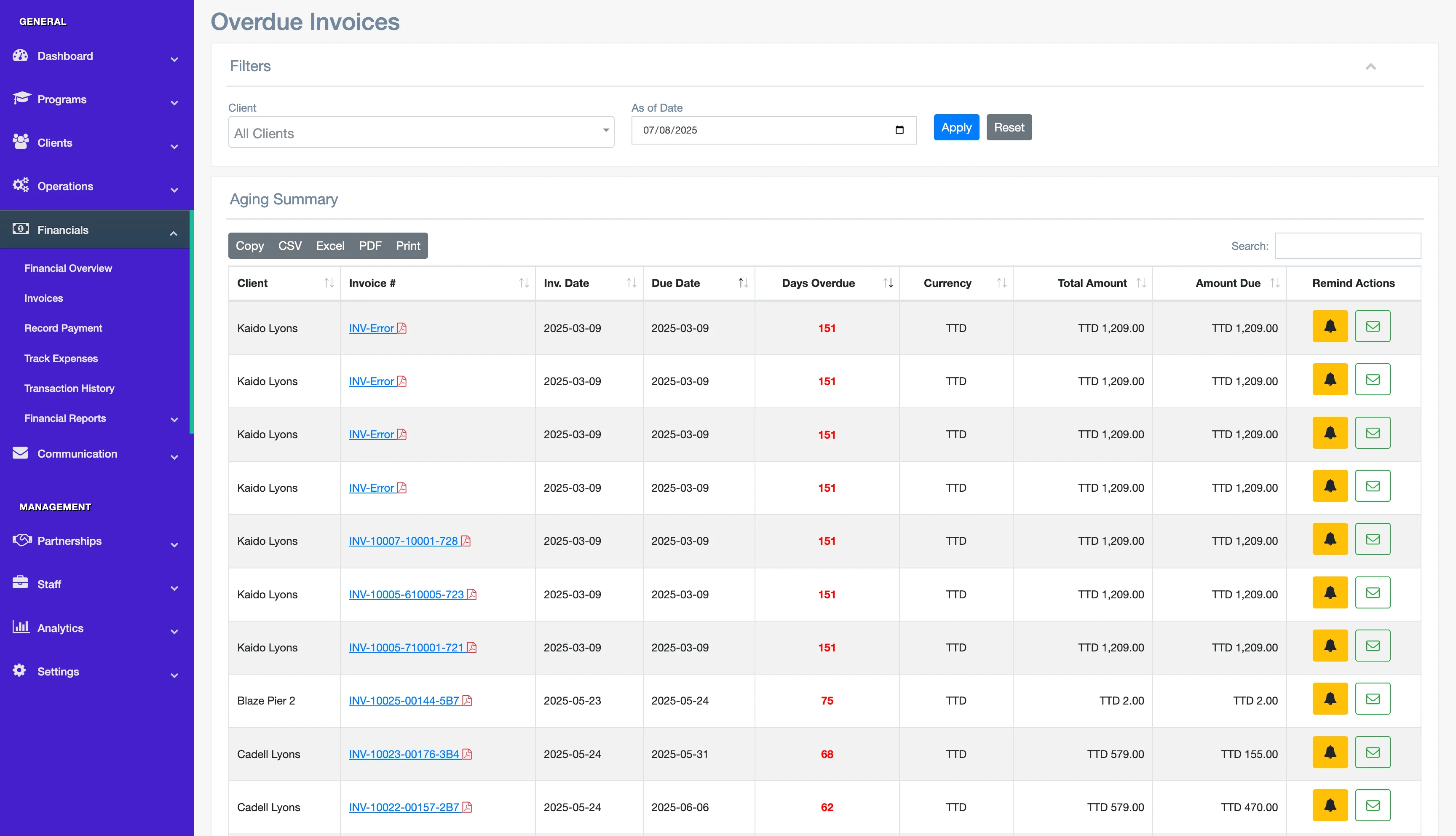
Invoice Aging

See unpaid invoices grouped by age so your team can prioritize follow-up without manual sorting.

Payments Received

Filter by date, program, or client to see every payment recorded, whether online or manually entered.

Client Financial Summary

Open one family or client and see invoices, receipts, credits, refunds, and current balance in one clean view.

Use automations to reduce repetitive billing admin

Automations support clarity and consistency. Use them where they help, while staff stay in control of the financial picture.

Automatic payment reminders

Set reminders before and after due dates so outstanding balances stay visible without repetitive manual follow-up.

Invoice sent as soon as enrollment is accepted

When an enrollment is confirmed, NNERB can generate the invoice tied to that activity so billing stays connected to the real workflow.

Receipts emailed automatically

When a payment is recorded, NNERB can issue the receipt automatically so families have proof of payment without extra admin.

Handle family billing with real context

Most finance tools treat billing as generic transactions. NNERB was built for classes, where payers, students, enrollments, and attendance history all need to stay connected.

  • Tie invoices to real enrollments, not isolated line items.
  • Handle family payers and multiple students with clearer context.
  • Keep balances, attendance, and history connected in one system.

See how NNERB fits your billing workflow

Keep invoices, payments, receipts, and balances connected to the real day-to-day activity of your business.

Get a live demo
No setup fee. No long‑term contract. Cancel anytime.